
Docs
OTP
Phone verification with a one-time code — code length and lifetime, limits, SMS and WhatsApp providers, message templates.
OTP is a one-time code an app uses to verify a customer's phone: CRM sends the code by SMS or WhatsApp, and the customer enters it in the app. OTP in the Settings menu defines how this works in the organization. It is visible to roles with the “Settings → All settings, users and roles” permission (only the system “Administrator” role has it). The section has two tabs: Settings and the Message templates. The codes actually sent and what happened to them are in Verifications.
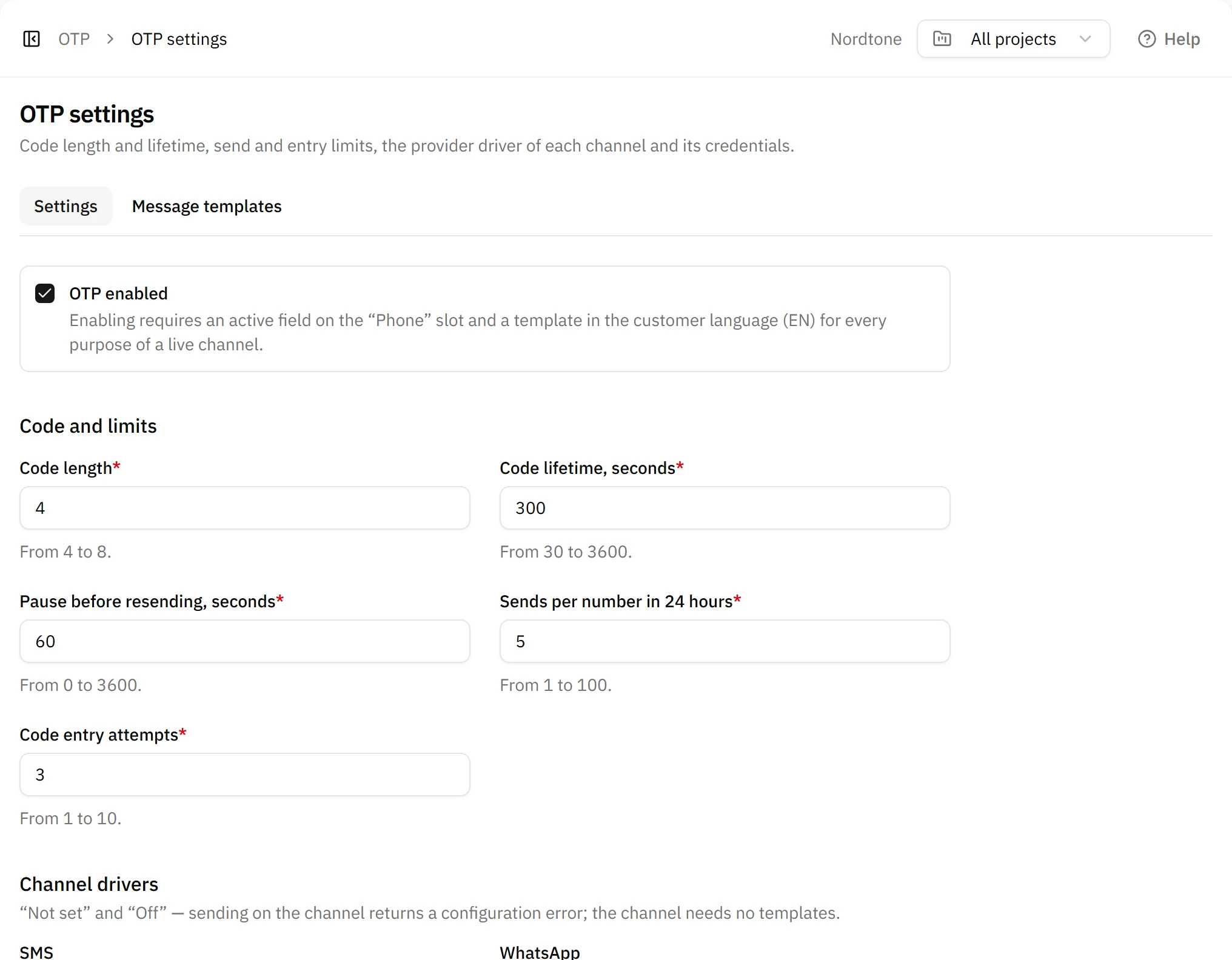
Enabling
The OTP enabled checkbox allows codes to be sent. OTP can be enabled only if the conditions below hold; the template conditions are also checked on every save while OTP is on:
- the customer schema has an active field on the “Phone” slot — the code goes to this number;
- every live channel has at least one template;
- every purpose on every live channel has a template in the default customer language (see templates).
Otherwise CRM does not save the settings and shows the reason under the field.
Code and limits
Each field shows its allowed range below it. Default values:
| Field | Default | Range |
|---|---|---|
| Code length | 4 | 4–8 |
| Code lifetime, seconds | 300 | 30–3600 |
| Pause before resending, seconds | 60 | 0–3600 |
| Sends per number in 24 hours | 5 | 1–100 |
| Code entry attempts | 3 | 1–10 |
Channel drivers
Each channel — SMS and WhatsApp — gets a provider driver that delivers the message. The list of drivers depends on the environment CRM runs in; the Stub (nothing is sent) driver sends nothing and is meant for testing.
The Not set and Off (not_configured) options mean the channel does not work: sending on it returns a configuration error, and the channel needs no templates. A channel with a real driver is live.
Provider credentials
Credentials — a token, login, password, sender name — are requested for each driver that needs them. They are stored encrypted and never shown: after saving, the field only shows a Set badge.
- To replace a credential, enter a new value.
- An empty field keeps the credential as it is.
- The Remove checkbox deletes the stored credential.
A credential the driver no longer uses is marked and can only be removed.
Message templates
The Message templates tab holds SMS and WhatsApp texts with the code. Above the table you see the OTP state and the driver of each channel and, if templates are missing, a list of gaps: which purpose on which channel needs a text in the customer language.
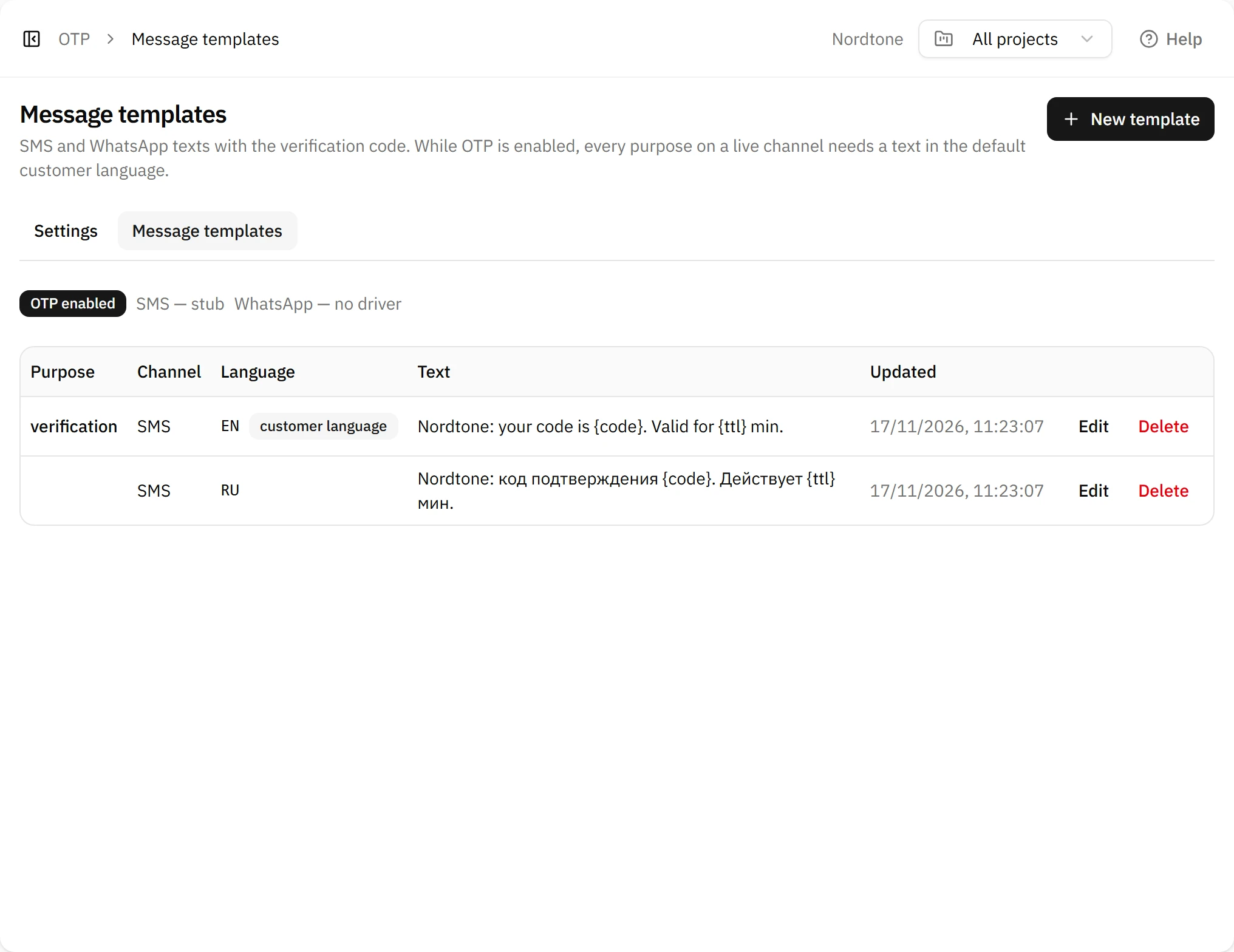
A template is defined by three things:
- Purpose — a snake_case code such as
verification. The app passes it when sending a code; the templates themselves are the list of purposes. - Channel — SMS or WhatsApp.
- Language — the message language. The code is sent in the language the app requested or, if there is no template in it, in the default customer language; the row in that language is marked “customer language”.
The Text must contain {code}; {ttl} inserts the code lifetime in minutes (write the unit yourself). No
other braces are allowed. Below the field there is a preview with a sample code and a character counter.
WhatsApp also has a Provider template field — the name of the approved template at the provider: the provider gets the name, language and code, and the text in CRM is a copy of the approved one for preview and tests.
- Click New template.
- Set the purpose, channel and language.
- Enter the text with
{code}, for exampleNordtone: your code is {code}. Valid for {ttl} min. - Click Create template.
The Edit button changes only the text (and, for WhatsApp, the provider template name). Purpose, channel and language cannot change: delete the template and create a new one instead. The Delete button asks for confirmation; after that, sendings in this language fall back to the customer language, and if it was the last text of the purpose, the purpose disappears.
OTP through the API
Apps send and check codes through the API: a code request names the channel, purpose, phone or customer, and optionally the language. Every issued code is a record in Verifications and, for the customer, on the Verifications tab of the card.