
Docs
Custom role
A role cut to a colleague's job — permissions, project scope, field visibility, assigning it to a user and checking the result.
There are three system roles, but colleagues do different jobs. In this guide Nordtone creates an “Activation lead” role: the lead looks at customers and interactions of their own project, “Field activations”, runs the agent registry and sees customers' phone numbers, but not their e-mail or birth date. Roles are created and assigned by a role with the “Settings → All settings, users and roles” permission — only the system “Administrator” role has it.
What you need
- To be signed in with the “Administrator” role (Roles).
- The projects the role will see — “Field activations” in the example (Projects).
- A user to assign the role to — “Sarah Collins” in the example. A new colleague can be invited with this role right away (Users).
Role
- Open Settings → Roles and press New role. If the new role resembles an existing one, use the Copy button in that role's row instead — its permissions and scope carry over.
- In Code enter
field_lead; in Name enter “Руководитель активаций” and “Activation lead”. - In the Project scope block choose Assigned projects.
- In the Permissions block check “View” in the “Customers”, “Interactions” and “Assets” groups, and “Create and edit” in the “Agents” group.
- Press Create role.
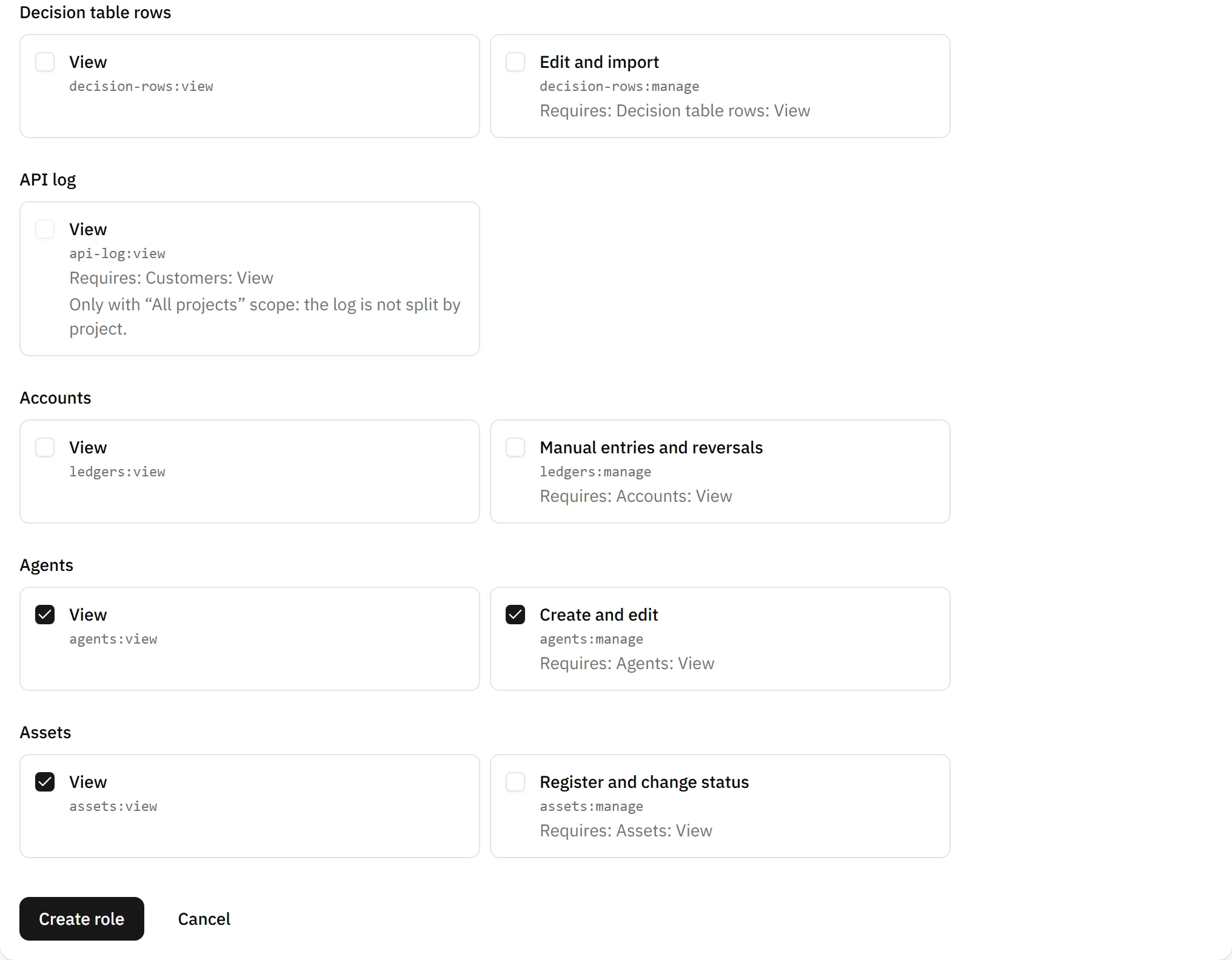
The form keeps permissions consistent on its own: “Agents → Create and edit” also checks “Agents → View”, and clearing “Customers → View” clears the permissions that depend on it. “API log → View” is unavailable with the “Assigned projects” scope, and administrator-only permissions — settings, customer merge and API log replay — can't be given to a custom role. A role's code never changes and is never freed. More in Permissions.
Field visibility
Permissions decide which sections a role can open; a field's visibility decides which fields it sees there. A field visible to “All roles” is visible to the new role straight away. If a field lists individual roles instead, the new role isn't among them — the field stays hidden from it until you check it. That's how Nordtone has set up the customer's phone, e-mail and birth date: the analyst doesn't see them.
- Open Settings → Schema, the Customer tab. The visibility column of the “Phone” field lists roles.
- Click the “Phone” label to open the field form.
- In the Visibility block check “Activation lead”.
- Press Save.
Leave the e-mail and birth date alone — they stay hidden. To hide a field that everyone sees, open its form, clear the All roles box and uncheck the role. More in Visibility.
Assigning it to a user
- Open Settings → Users and the form of “Sarah Collins”.
- In the Role list choose “Activation lead”.
- In the Projects block leave only “Field activations” checked.
- Press Save.
The Projects block appears only for a role scoped to “Assigned projects”. Without a single project the user sees no data sections in the menu. You can't change your own role or assign an archived one (Users).
Check the result
- In the role list “Activation lead” shows the “Assigned projects” scope and one user; in the user list Sarah Collins has the new role and the “Field activations” project.
- Once Sarah Collins signs in, her menu holds only “Home”, “Customers”, “Interactions”, “Verifications” and “Agents”, with no settings.
- In Interactions she sees only “Field activations” interactions; customers, agents and assets are visible in full.
- In the customer card she sees the phone number, but not the e-mail or birth date.
Permissions are changed in the role form and apply to all its users at once. A role can't be deleted: a role you no longer need is archived once it has no users left (Archive).
What's next
- Roles — the permissions of the system roles and the rules for a custom role.
- Fields and types — setting a field's visibility when you create it.
- Export — a file only gets the columns visible to the role.
- A program from scratch — projects, API clients and users for a new program.