
Docs
Consents
Consent texts by version and language — exactly what the customer agrees to and from which date.
A consent is a fact: “the customer gave consent” or “the customer revoked consent” to a specific version of a text. Consents in the Settings menu keeps the texts themselves, by type, version and language. It is visible to roles with the “Settings → All settings, users and roles” permission (only the system “Administrator” role has it).
Nordtone has two consent types: privacy for personal data processing and marketing for promotional mailings.
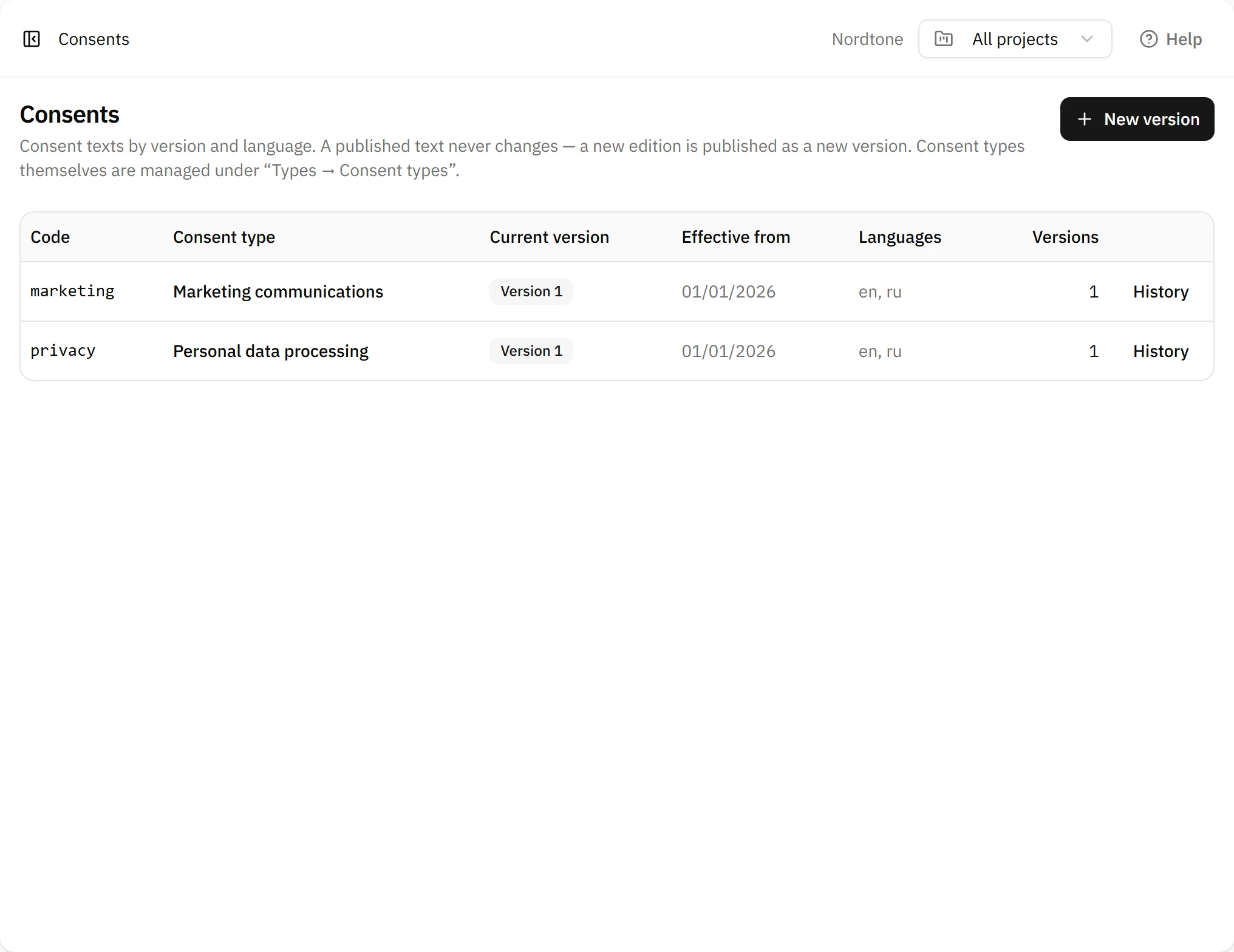
What's on the screen
One row per consent type: Code, Consent type, Current version, Effective from, the Languages of the current version and the total number of versions. A type without an effective text shows a No text badge instead of the version. A switched-off type is marked Inactive. The History link opens the type page.
Consent types themselves are not created here: they are added in Entity types, on the Consent types tab. While there are no types, the section offers to go there.
Consent type and its versions
The type page lists every text version, newest first. Each version has a number, an Effective from date, a status and texts in all languages with their author and publication time.
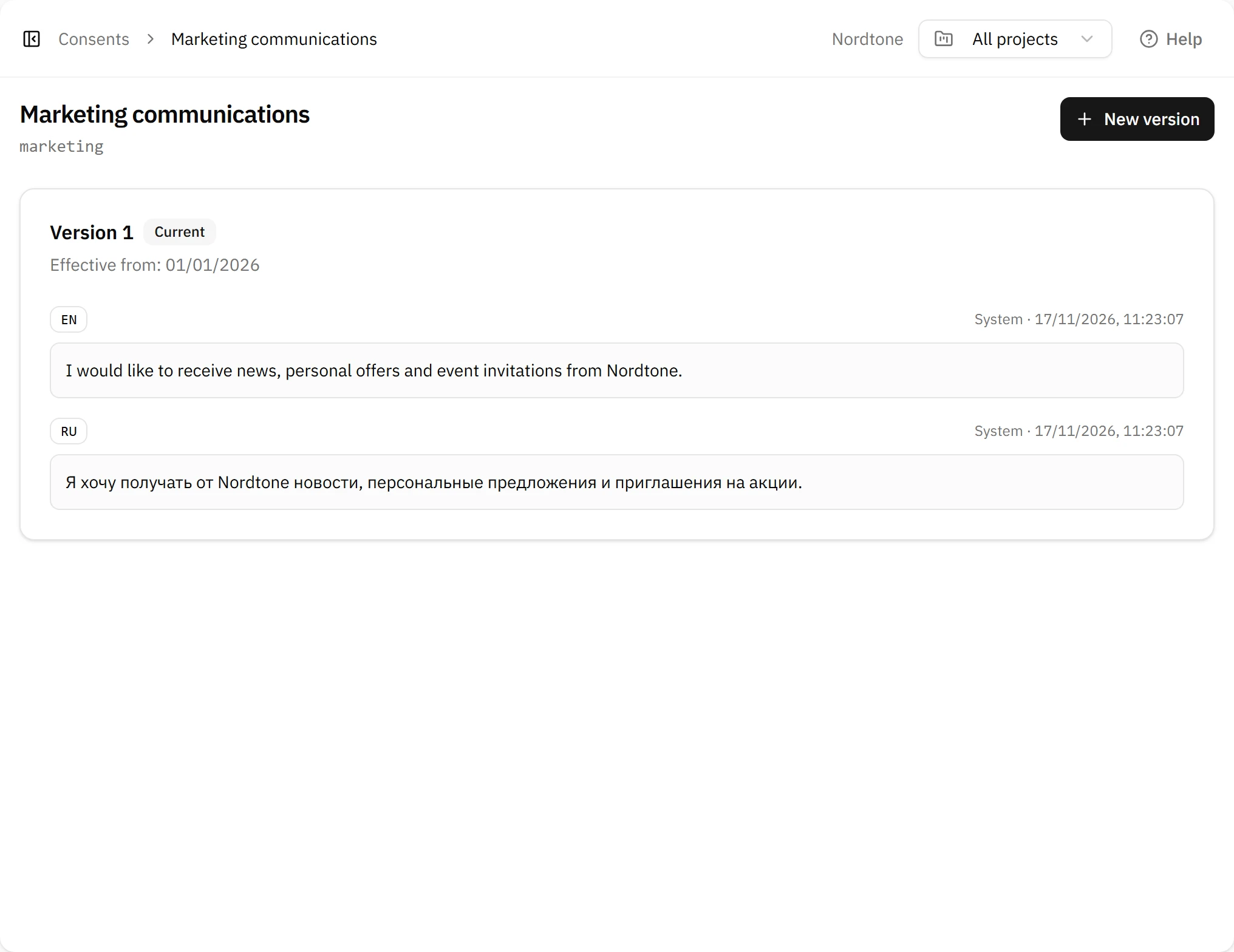
Version statuses:
- Current — the latest version whose date has come; this is what customers get;
- Scheduled — the date is still ahead; the version becomes current on that day;
- Superseded — a newer version exists.
The date is a calendar date in the organization's time zone.
New text version
- Click New version — in the list or on a type page (the type is then preselected).
- Choose the Consent type. The version number is assigned automatically — the next in sequence.
- Set Effective from: not earlier than the previous version's date. A future date schedules the version in advance.
- Enter the texts. The text in the organization's default customer language is required, the rest are optional; empty
fields are not published. Add a language missing from the form under Another language with a two-letter code
such as
de. - Click Publish version.
Texts are plain text; line breaks are kept. A new version can be published only for an active type.
How consents reach a customer
Consent facts are recorded in three ways, and all of them refer to text versions from this section:
- through the API — an app fetches the current texts in the customer's language, shows them and records a “given” or “revoked” batch, optionally with a signature attachment;
- with an interaction — the same consent batch arrives with the interaction and is linked to it; you can see it on the interaction page;
- on the customer card — the Consents tab: an operator records consent or
revocation on their own behalf with the
officechannel and can attach a signature scan (PNG, JPEG, WebP or PDF, up to 10 MB by default).
The channel is a code for where the customer expressed their will (app, office, paper, web); CRM does not
interpret it. A customer's state for a type is their latest record of it.
Required consents are not set here but in the interaction type settings — the “Required consents” field in Entity types. An interaction of such a type is rejected by the API unless the customer already has a valid “given” for each required type or it arrives in the same request. Consents required at customer registration through the API are set by the organization's preset — at deployment or when it is applied again; the admin panel has no such setting.