
Docs
Assets
A customer's asset page — type, serial number, status, owner and event history; serial number lookup and registration.
An asset is an item with a serial number that belongs to a customer: for example, the Nordtone Buds Pro headphones Anna Lange bought. Asset types and their statuses are set up in the Entity types section, asset fields in the Schema section. Roles with the “Assets → View” permission can see assets; roles with the “Assets → Register and change status” permission can register them and change their status or owner.
The asset page opens from the Assets tab of the customer card, from the serial number lookup on the Customers page and from the interaction page of an interaction that changed the asset.
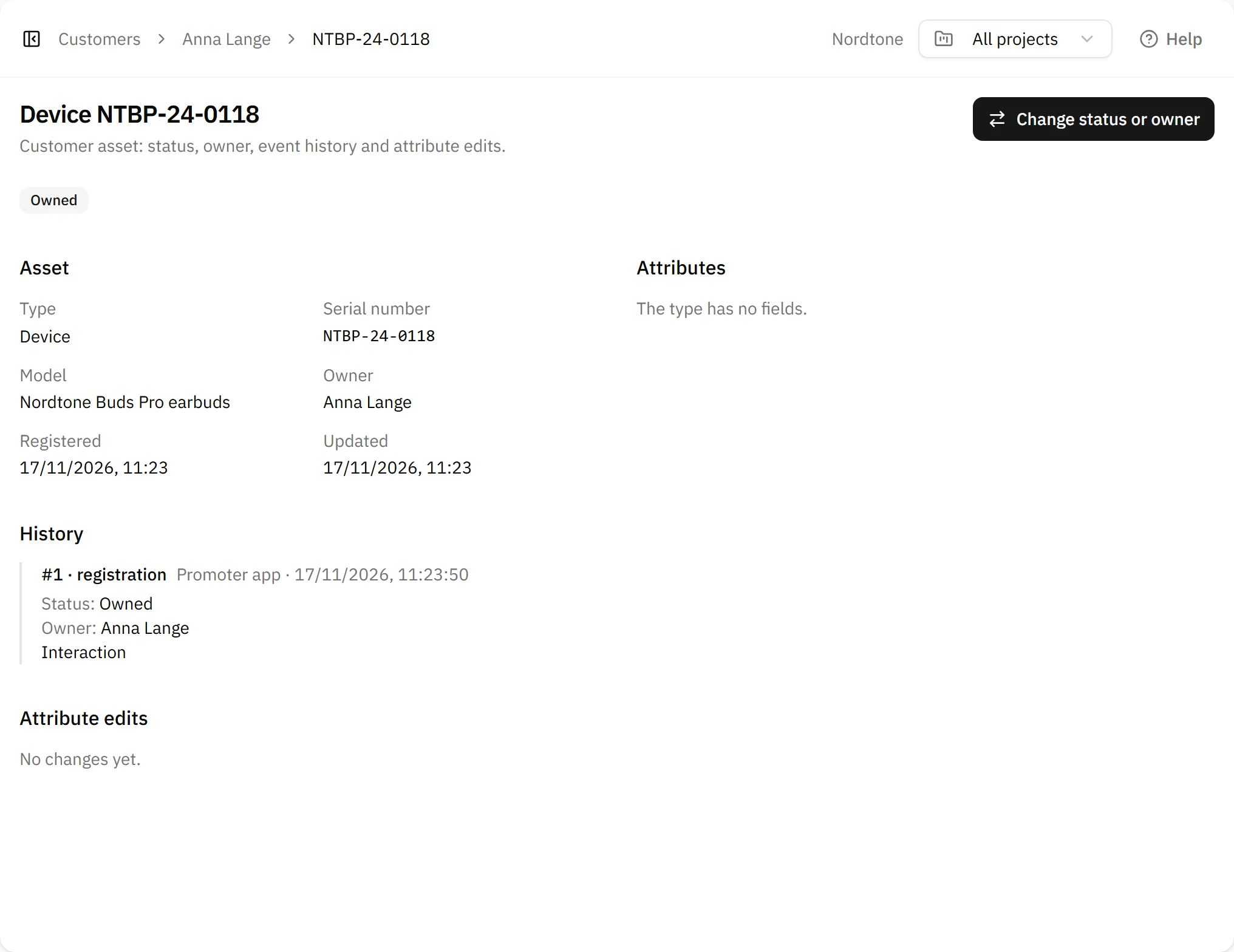
What's on the screen
Under the title is the asset status as its type names it, for example “Owned”. The Asset block shows the type, serial number, model from the catalog, the owner with a link to their card, and the registration and last update dates. The Attributes block lists the asset type fields visible to your role.
History
Every event of the asset, numbered: registration, status change, owner change and undone by void. Each event shows who recorded it and when, how the status and owner changed, the reason, and a link to the interaction if the event came from one.
Attribute edits are not events: they are listed separately, in the Attribute edits block.
Changing status or owner
- Press Change status or owner.
- Choose a new status or leave Keep. The list offers only the transitions allowed in the type settings.
- To hand the asset over to another customer, tick Change owner and choose the new owner. An empty field removes the owner.
- Optionally enter a reason and press Save.
The change appears in the history as a new event.
Registering an asset
You can register an asset by hand on the Assets tab of the customer card.
- Press Register asset.
- Choose the type and enter the serial number.
- If the type has a model catalog, choose the model. Choose the status and fill in the type fields.
- Press Register.
Serial numbers are compared by the type rule. If the serial number is already taken by another asset, the CRM shows an Open the asset with this serial number link. An ownerless asset with the same serial number is simply linked to the customer.
More often assets appear on their own: an interaction with a serial number in an item — a purchase, for example — registers the asset or changes its status. The interaction type settings decide what an item does to an asset.
Serial number lookup
Above the customer list is the asset lookup: choose the asset type, enter the serial number and press Find asset. If the organization has only one asset type, there is nothing to choose. A found asset opens right away; if there is none, the CRM says so.
Assets through the API
Through the API, apps look up an asset by type and serial number, list a customer's assets, register assets, change their status and owner, and edit attributes. Attribute edits made through the API show up in the Attribute edits block.