
Docs
Overview
How to work in the Btlify CRM admin panel — customers, interactions, rules, decision tables, accounts and organization settings.
Btlify CRM keeps customers and everything that happens to them: interactions, consents, one-time code checks, labels, points and assets. The program logic — who gets what and on which conditions — comes from settings: the field schema, rules, decision tables and account kinds. No code is written for a particular program.
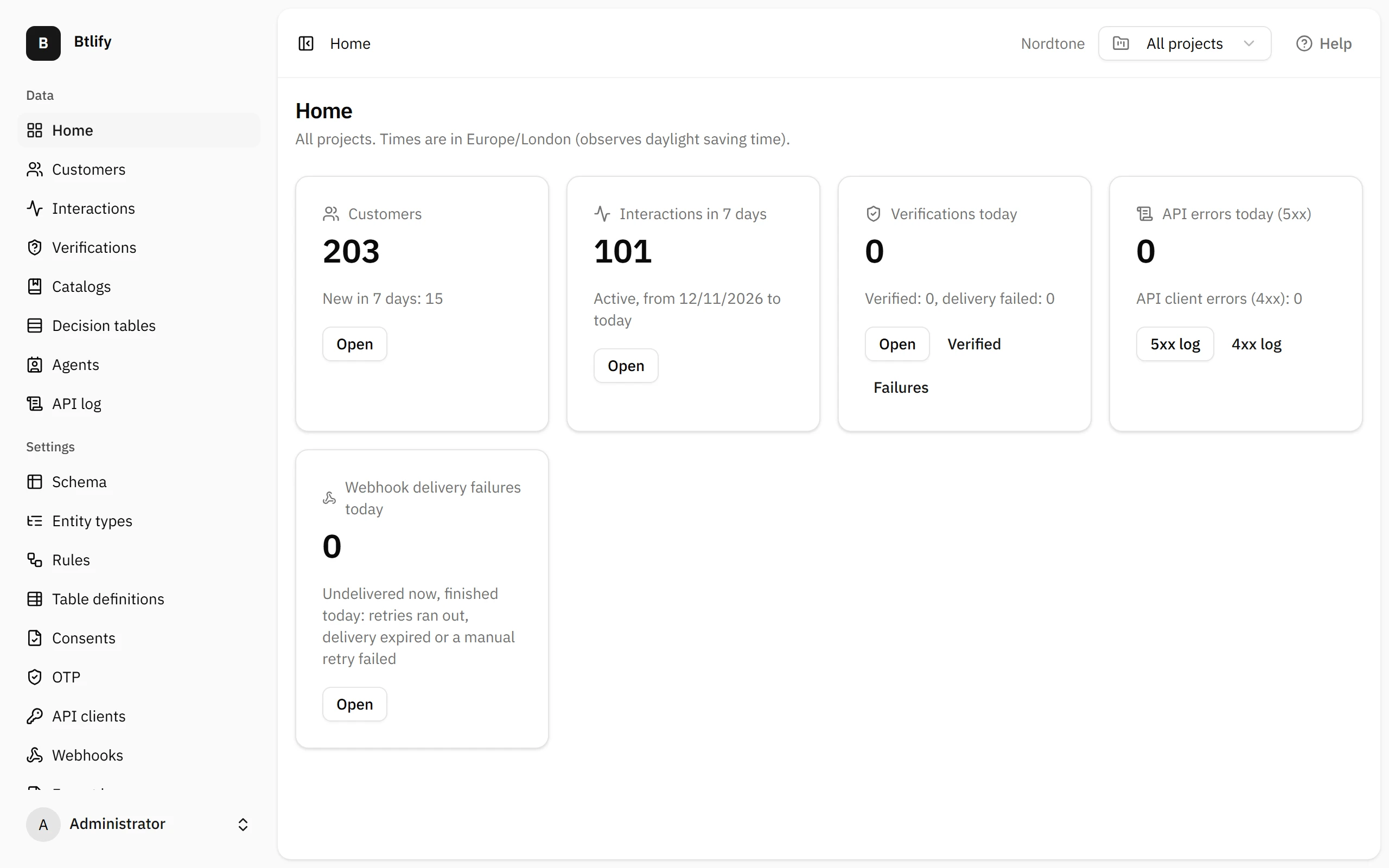
How the admin panel is organized
The menu is on the left. Data is the everyday work: customers, interactions, catalogs, decision tables, agents, the API log. Settings define the program: schema and types, rules, consents, OTP codes, API clients, webhooks, projects, users and roles.
What you see in the menu depends on your role: a section you have no permission to view is hidden. Role permissions are set up in Roles.
Data gets into the CRM in three ways, and all three work with the same customers and rules:
- the admin panel — manual work of operators and analysts;
- the API — promoter apps, the website, a chatbot and other systems (API documentation);
- import — catalogs, decision table rows and agents from XLSX and CSV files.
Where to start
- Customers — the list, search and creating a customer.
- Customer card — everything about a customer on one page.
Examples in this documentation come from Nordtone, a demo organization: a consumer electronics and audio brand.